Overview
quatro BrainRender is a Python package for visualizing brain data. In this tutorial we will attempt to install it on an M1/M2 mac.
Alignment
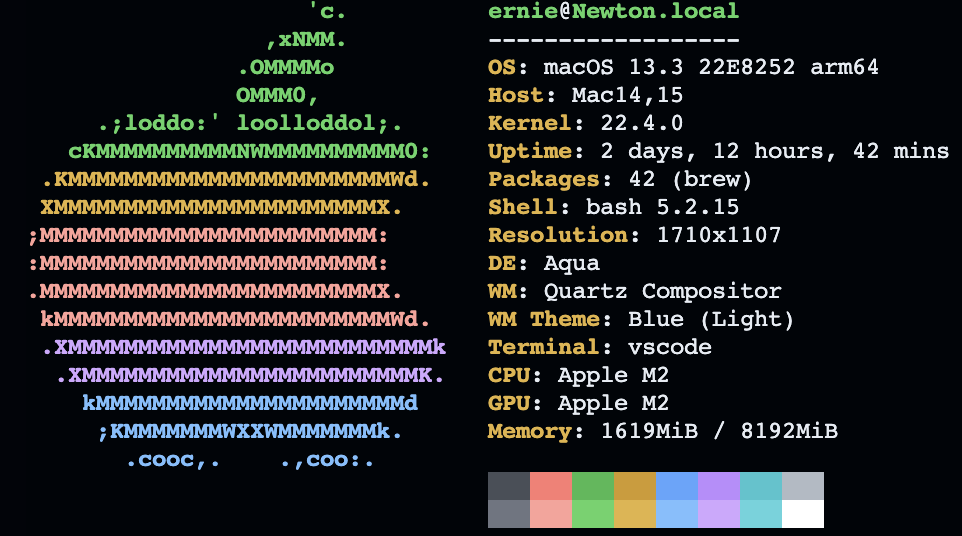
Prior to starting, let me post key system and config specs for comparison:
System Information
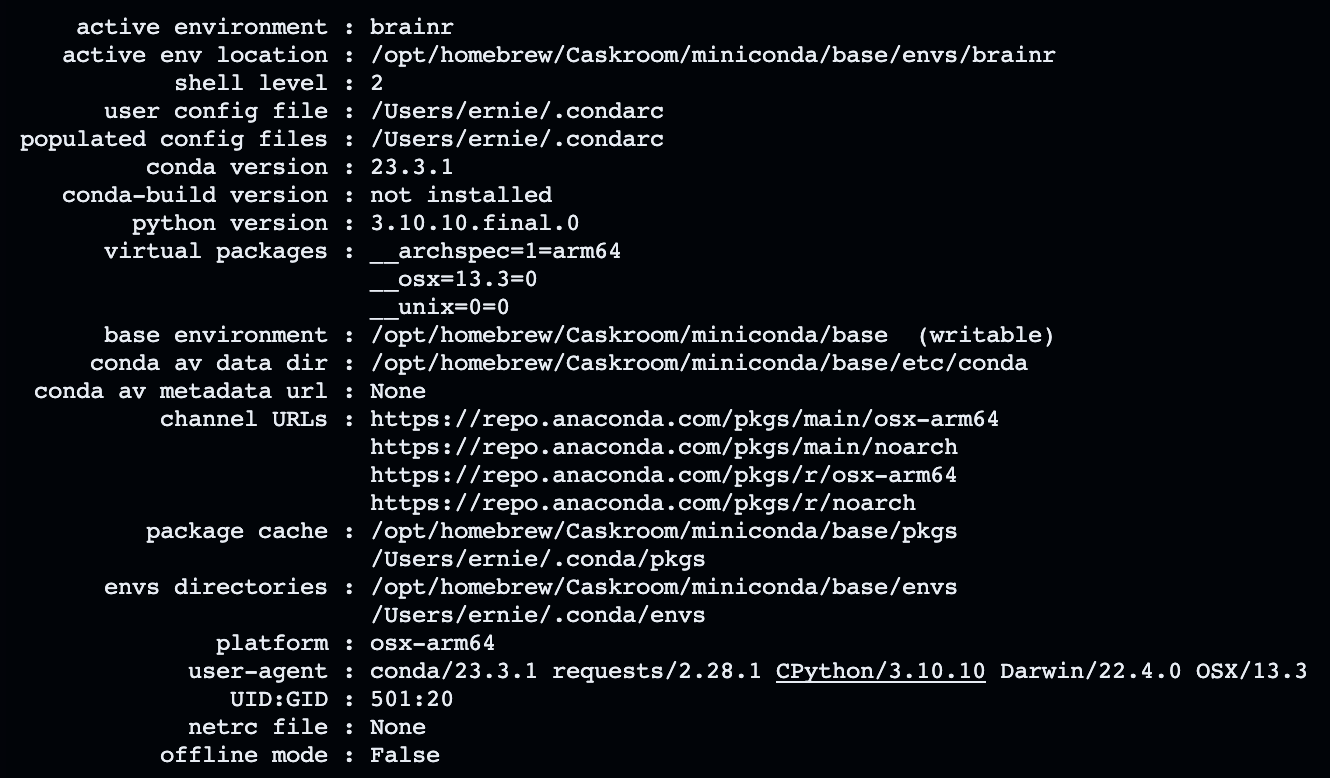
Python information
I am using a conda virtual environment named brainr with python 3.10.
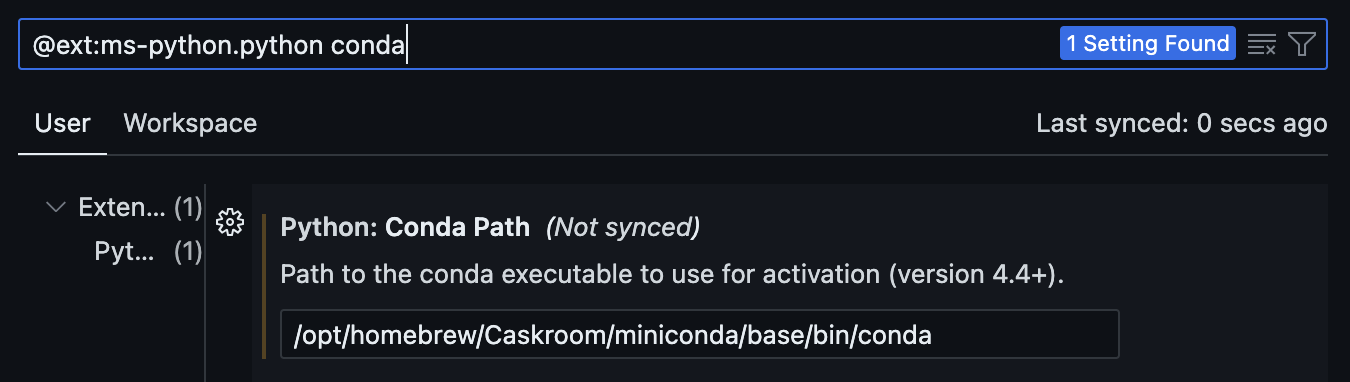
IDE
I am using VSCode with the Python extension. Importantly, if you install conda using a package manager like Homebrew, you will need to specify the exact conda directory (found in your shell profile) to activate the conda environment in VSCode.
Installation (per BrainRender docs)
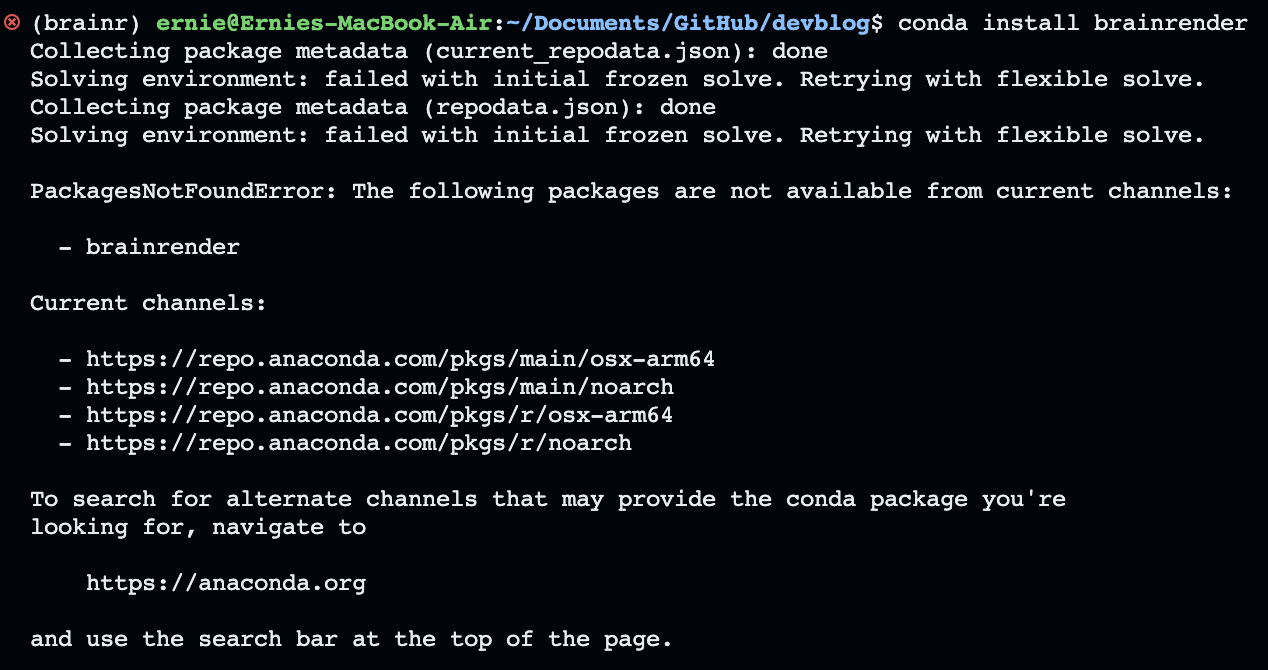
Using conda install
Trying to install BrainRender using conda results in a Package Not Found error.
Using pip install
Trying to install BrainRender using pip results in the following wheel error:
  error: subprocess-exited-with-error

  × Getting requirements to build wheel did not run successfully.
  │ exit code: 1
  ╰─> [12 lines of output]
      <string>:19: DeprecationWarning: pkg_resources is deprecated as an API. See https://setuptools.pypa.io/en/latest/pkg_resources.html
      ld: library not found for -lhdf5
      clang: error: linker command failed with exit code 1 (use -v to see invocation)
      cpuinfo failed, assuming no CPU features: 'flags'
      * Using Python 3.10.12 (main, Jul  5 2023, 15:02:25) [Clang 14.0.6 ]
      * Found cython 0.29.36
      * USE_PKGCONFIG: False
      * Found conda env: ``/opt/homebrew/Caskroom/miniconda/base/envs/brainr``
      .. ERROR:: Could not find a local HDF5 installation.
         You may need to explicitly state where your local HDF5 headers and
         library can be found by setting the ``HDF5_DIR`` environment
         variable or by using the ``--hdf5`` command-line option.
      [end of output]

  note: This error originates from a subprocess, and is likely not a problem with pip.
error: subprocess-exited-with-error

× Getting requirements to build wheel did not run successfully.
│ exit code: 1
╰─> See above for output.

note: This error originates from a subprocess, and is likely not a problem with pip.
I used this link to start troubleshooting: https://forum.image.sc/t/error-when-installing-brainrender-macos-11-4-m1-silicon/56153/5
and ran the following commands:
pip install numpy=1.21.1
conda install hdf5
conda install cython
pip install blosc2
export CFLAGS='$CFLAGS -Wno-implicit-function-declaration'
pip install tables --no-cache-dir
conda install scipy
conda install h5py
pip install brainrender
Fix Numpy install
There is an error on this line: pip install numpy=1.21.1 which should be: pip install numpy==1.21.1
This is essential as the latest version of numpy is not compatible with a dependency of BrainRender.
CFLAGS Error
This had an error: clang: error: no such file or directory: ‘\(CFLAGS' clang: error: no such file or directory: '\)CFLAGS’
I modified the following line since I did not have an existing CFLAGS variable:
export CFLAGS='-Wno-implicit-function-declaration'This resulted in a “successful” installation of BrainRender and appears in my pip list:
(brainr) ernie@Ernies-MacBook-Air:~/Documents/GitHub/devblog$ pip list
Package            Version
------------------ --------
appdirs            1.4.4
appnope            0.1.3
asttokens          2.2.1
backcall           0.2.0
beautifulsoup4     4.12.2
bg-atlasapi        1.0.2
bg-space           0.6.0
blosc2             2.0.0
brainrender        2.0.5.5
Morphio error
However, when I try to run Brainrender as a module (python -m brainrender), I got the following error:
  Referenced from: <79BFE7D5-EE01-377B-BE24-CC955219FA59>
/opt/homebrew/Caskroom/miniconda/base/envs/brainr/lib/python3.10/site-packages/morphio/_morphio.cpython-310-darwin.so
  Reason: tried: '/opt/homebrew/opt/hdf5/lib/libhdf5.310.dylib' (no such file),
'/System/Volumes/Preboot/Cryptexes/OS/opt/homebrew/opt/hdf5/lib/libhdf5.310.dylib' (no such file),
'/opt/homebrew/opt/hdf5/lib/libhdf5.310.dylib' (no such file), '/usr/local/lib/libhdf5.310.dylib' (no such file),
'/usr/lib/libhdf5.310.dylib' (no such file, not in dyld cache)
The error you’re seeing is due to the Python package morphio not being able to find the HDF5 library (libhdf5.310.dylib) on your system. You can solve this issue by installing the HDF5 library using Homebrew with the command:
brew install hdf5Now I can run python and import brainrender:
(brainr) ernie@Newton:~$ python
Python 3.10.12 (main, Jul  5 2023, 15:02:25) [Clang 14.0.6 ] on darwin
Type "help", "copyright", "credits" or "license" for more information.
>>> import brainrender
>>>
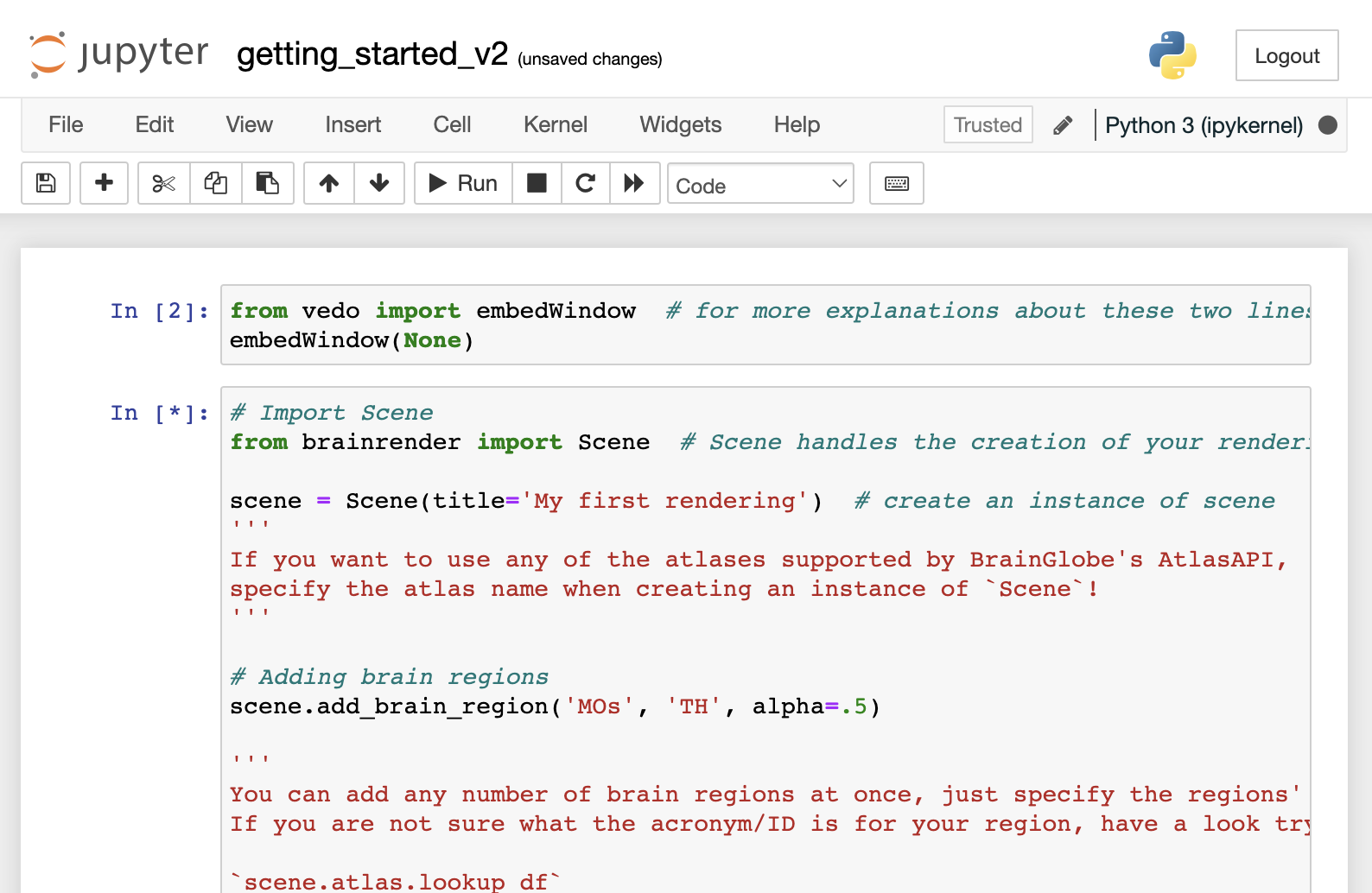
Let’s try it out with an example notebook from the BrainRender docs at https://github.com/brainglobe/brainrender/blob/master/getting_started.ipynb
You can’t run it directly as this is an outdated v1 notebook for most modern Jupyter installations. Instead just run the code in a new notebook by copying and pasting the code from the notebook into a new notebook.
conda install jupyter
jupyter notebook
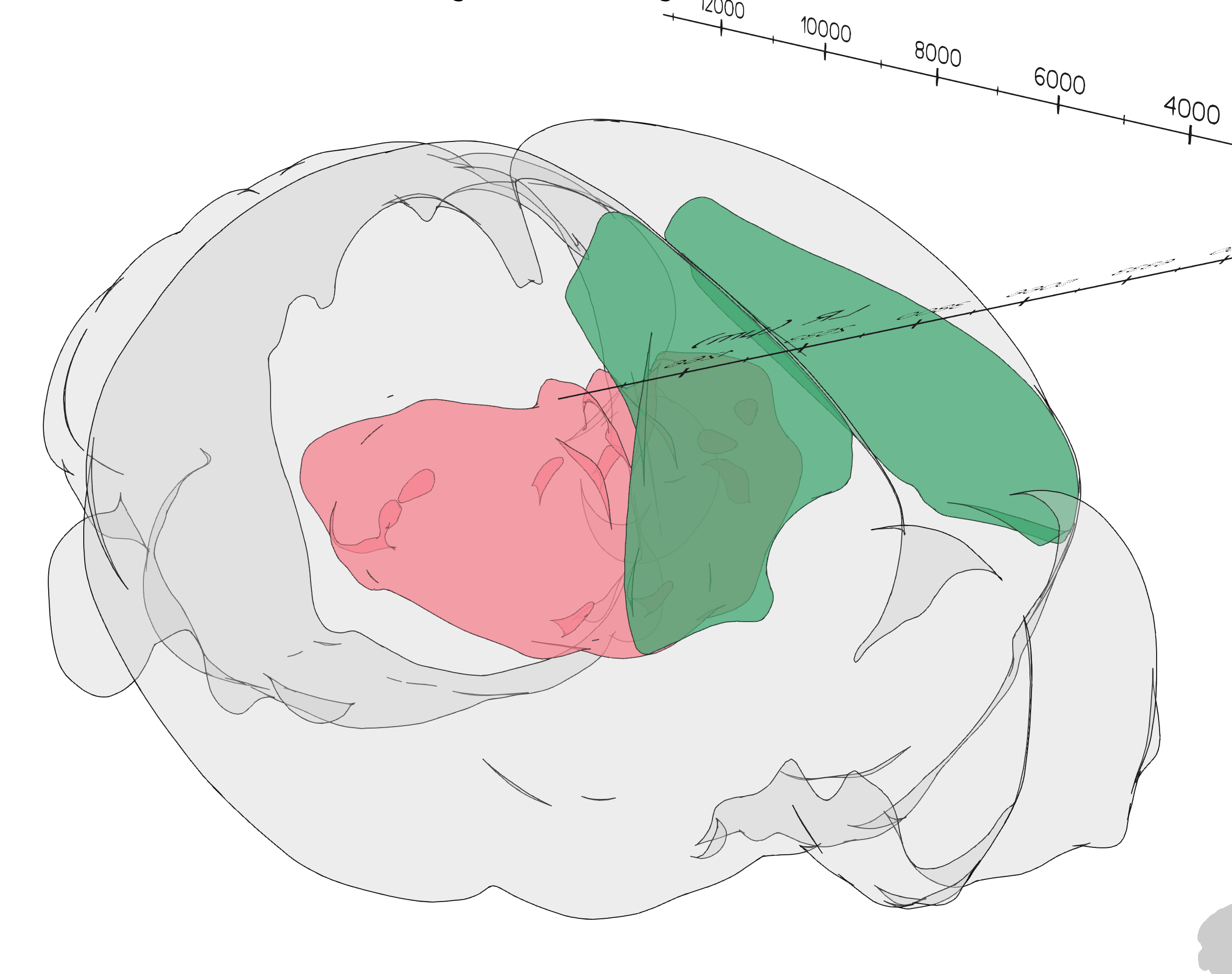
Brainrender Example
Example render
Summary
BrainRender has some difficulty with installing on Apple Silicon. In this post, we used a combination of conda and pip packages to get BrainRender working. We also addressed any missing dependencies by installing them with Homebrew.
Ernie