Introducing the vHTP Import Utility: Simplifying the Import of EEG Files
Overview
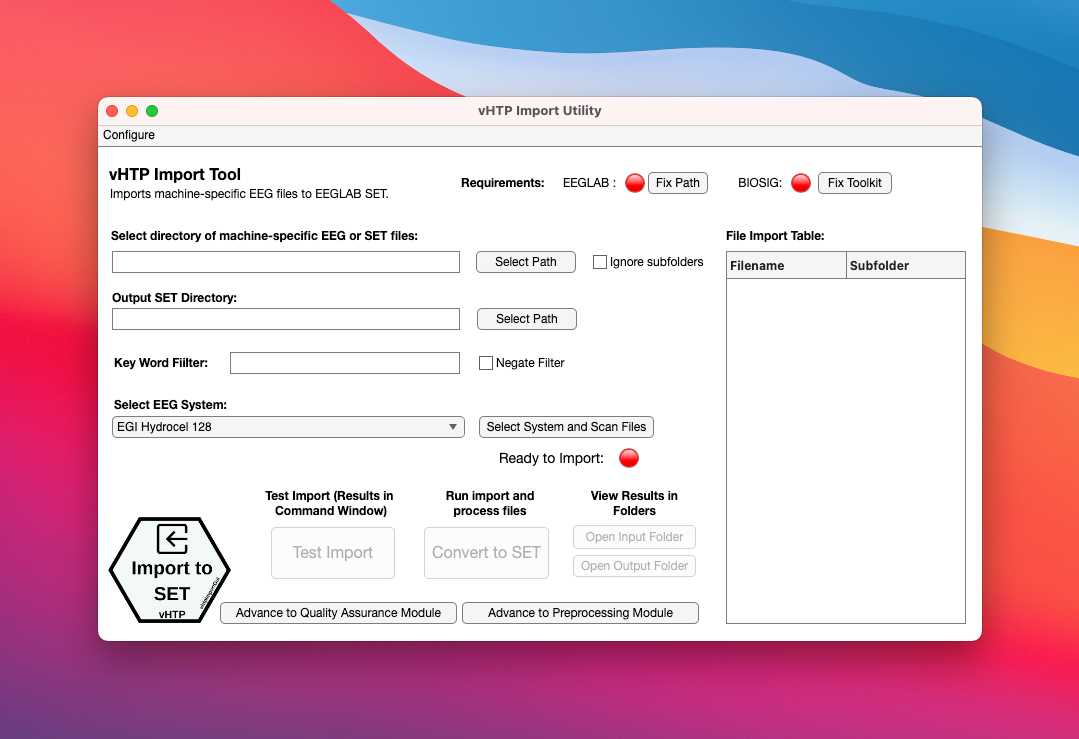
Importing and managing EEG files can be a complex task, especially when working with different recording systems and directories. The vHTP Import Utility is a MATLAB tool designed to simplify this process by providing an easy-to-use interface for importing various raw EEG formats into the EEGLAB SET format. It also allows for moving SET files from subdirectories based on keywords. Following import a detailed filelist in CSV format is generated for easy reference.
Key Features
Import from various raw EEG formats: The vHTP Import Utility supports the import of EEG files from different formats, making it easy to work with files collected using different EEG systems.
Move set files from subdirectories: The utility allows users to move set files from subdirectories, providing better organization and easier access for analysis.
Filter files based on keywords: Users can specify keywords to filter the imported
Generate a detailed filelist: The utility generates a detailed filelist in CSV format, making it easy to reference and share information about the imported files.
Behind the Scenes
The vHTP import utility is a MATLAB AppDesigner application. The underlying code is written in MATLAB and uses both custom code and EEGLAB toolbox for importing and managing EEG files. The utility is designed to be used with the vHTP EEG Preprocessing Pipeline, but can also be used as a standalone tool.
Installation from GitHub
The vHTP Import Utility is distributed with the vHTP EEG Pipeline. You can either download a zip file from Github repository or use the git commandline tool to clone the repository.
git clone https://github.com/cincibrainlab/vhtp.gitInstallation and Dependencies
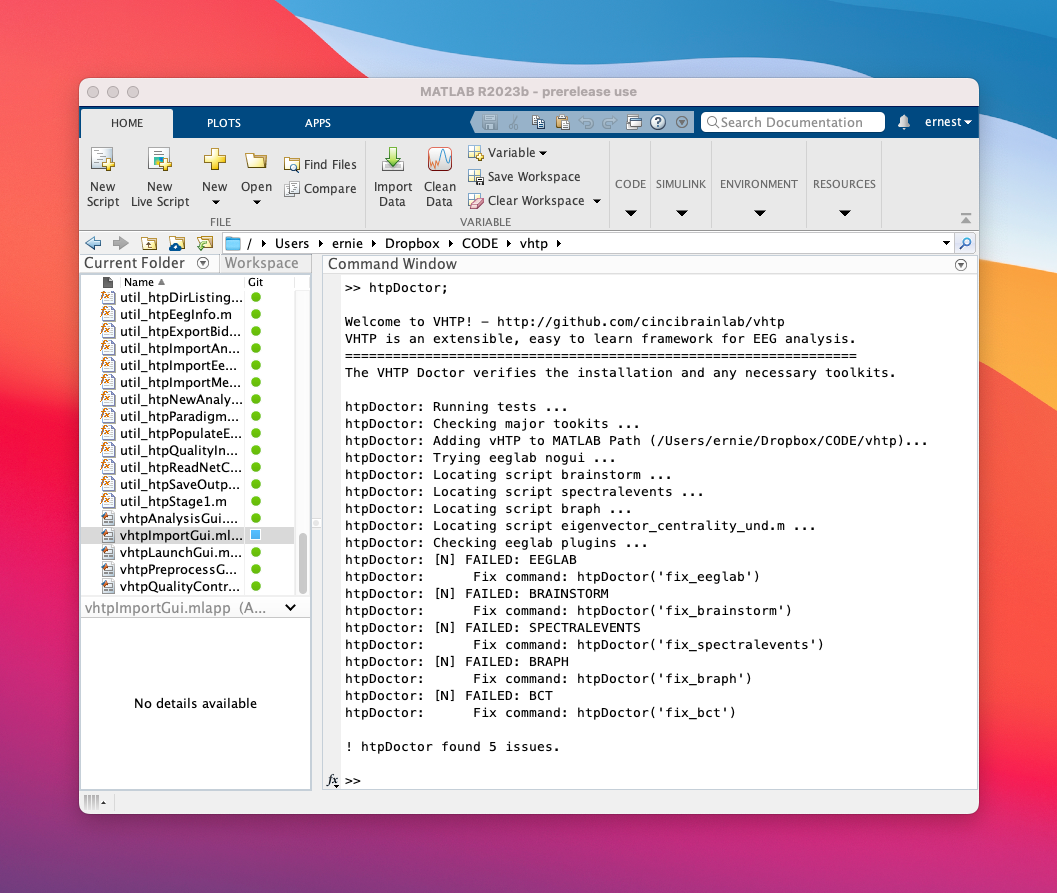
To simplify the process of installation, we have created a commandline utility called htpDoctor. The “doctor” checks your system to verify any needed toolkits, plugins, or dependencies for a functional vHTP install. If any of the required toolkits are missing, the htpDoctor provides several automatic fixing options.
Using the htpDoctor
The htpDoctor is a commandline utility that can be run from the MATLAB command window.
After downloading the vHTP EEG Pipeline, navigate to the vHTP directory and run the htpDoctor from the MATLAB command window:
htpDoctor;Key Features:
Toolkit Verification: The htpDoctor performs a series of checks to verify the availability and installation of essential toolkits such as EEGlab, Brainstorm, Biosig, BRAPH, and BCT (Brain Connectivity Toolbox). It also checks for the presence of specific EEGlab plugins like clean_rawdata, ICLabel, viewprops, and firfilt.
Detailed Output: The htpDoctor provides informative output messages for each verification step, indicating whether the toolkit is available or requires fixing. It also displays the relevant fix commands, making it easy for users to rectify any issues.
Automatic Fixing: In case any of the required toolkits are missing or not properly installed, the htpDoctor provides automatic fixing options. It guides users through the installation or configuration process, ensuring that the toolkits are set up correctly.
Path Generation: The htpDoctor generates the necessary path names for each verified toolkit. It provides the directory paths for the installed toolkits, allowing users to easily access and work with them in their EEG analysis workflow.