3 Starting SignalFlow
Follow the steps below to launch the SignalFlow graphical user interface (GUI) or APplication via MATLAB:
Open MATLAB.
Launch the MATLAB software from your applications menu or desktop shortcut.
Navigate to the SignalFlow Directory.
The SignalFlow directory is typically located within the
GitHubfolder in yourDocuments. This might vary depending on where you cloned the repository. The paths are generally as follows:For Windows:
C:\\Users\\**YourUsername**\\Documents\\github\\SignalFlow_HBCDFor Linux or macOS:
/home/**YourUsername**/Documents/github/SignalFlow_HBCD
Replace
**YourUsername**with your actual username on your computer.To navigate to this directory in MATLAB, you can use the
cd(change directory) command in MATLAB’s Command Window:cd('path-to-directory')Replace
'path-to-directory'with the appropriate path above.Find the SignalFlow application file.
In MATLAB’s Current Folder pane (typically located on the left side of the interface), scroll to locate the SignalFlow application file named “SignalFlowEEG.mlapp”.
Run the SignalFlow application.
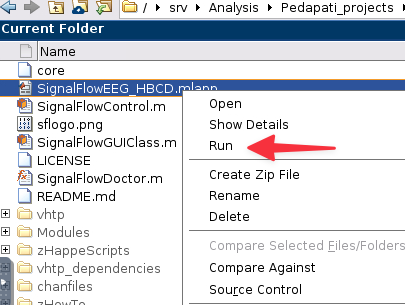
Right-click on the “SignalFlowEEG.mlapp” file and select “Run” from the context menu.
Check SignalFlow Application.
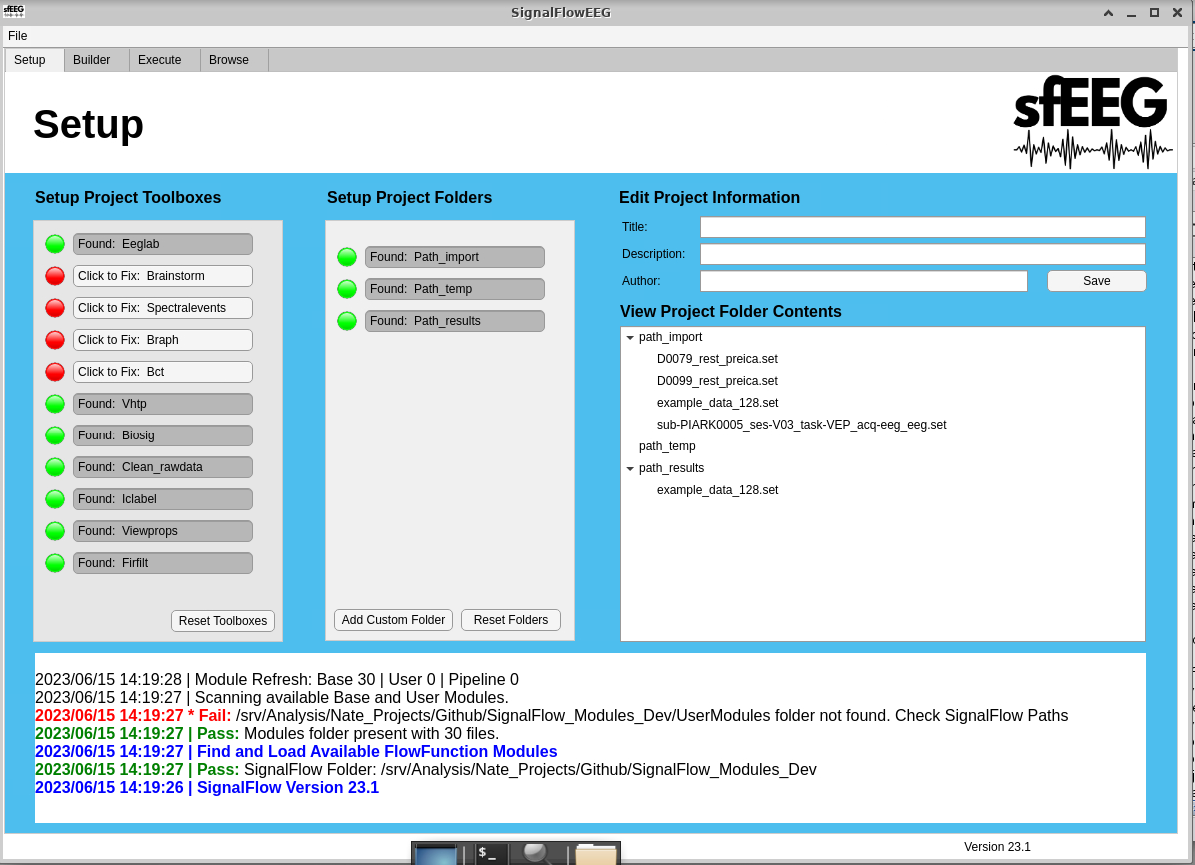
The SignalFlow Application should now open. If the GUI does not open or you encounter an error, ensure that you have the correct directory and the “SignalFlowEEG.mlapp” file is present.
Check dependencies
If you check the command window, you will see that SignalFlow will do a careful check for any missing dependencies. If you encounter any errors, revist the Chapter 1 section to ensure that you have installed all the necessary dependencies.
The command SignalFlowDoctor will do a careful check for missing toolkits and also have options for repair. Restart SignalFlow after installing any missing dependencies.
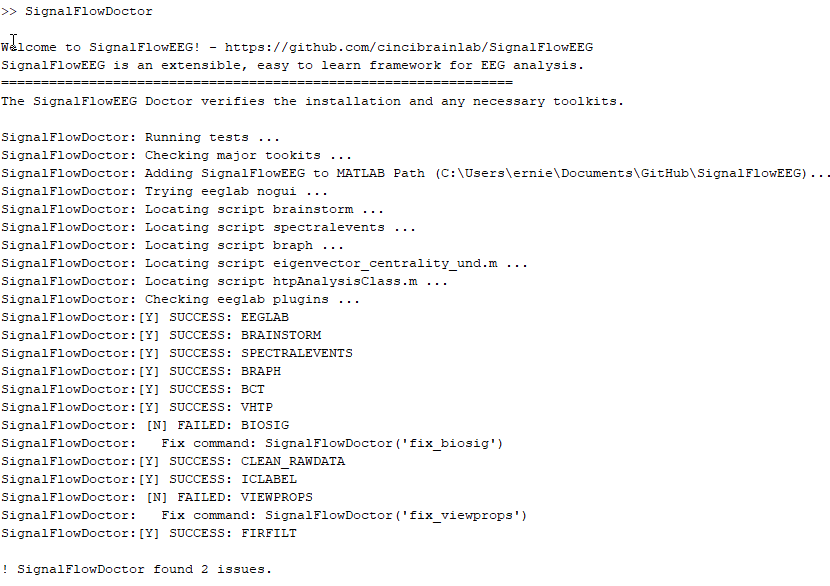
In this case, SignalFlowDoctor identifies two issues as missing EEGLAB toolkits. Running the recommended commands in the command window will install the missing toolkits. If a plugin cannot be installed automatically, you may need to open EEGLAB and install it though the plugin manager.
With these steps, you should be able to successfully launch the SignalFlow EEG Application in MATLAB.